

Single Sign-On (SSO)
Magic Patterns supports Single Sign-On (SSO), allowing your team to authenticate using your workspace’s identity provider. SSO configuration is self-serve for Business and Enterprise accounts. Admins can configure it at magicpatterns.com/settings/workspace.Configure your identity provider
Go to
magicpatterns.com/settings/workspace,
click Configure SSO, and follow the setup instructions to connect your
identity provider (such as Okta, Azure AD, Google Workspace, or others) to
Magic Patterns.
SCIM / Directory Sync
Magic Patterns supports SCIM (System for Cross-domain Identity Management) for automatic user provisioning and directory synchronization for Enterprise customers.Enable SCIM
SCIM directory sync is also configured through WorkOS. When you set up SSO,
you can also enable SCIM for automatic user management.
Automatic user provisioning
Once SCIM is enabled, users from your directory will be automatically
provisioned in Magic Patterns when they’re added to your identity provider.
Domain Capture / Auto Join
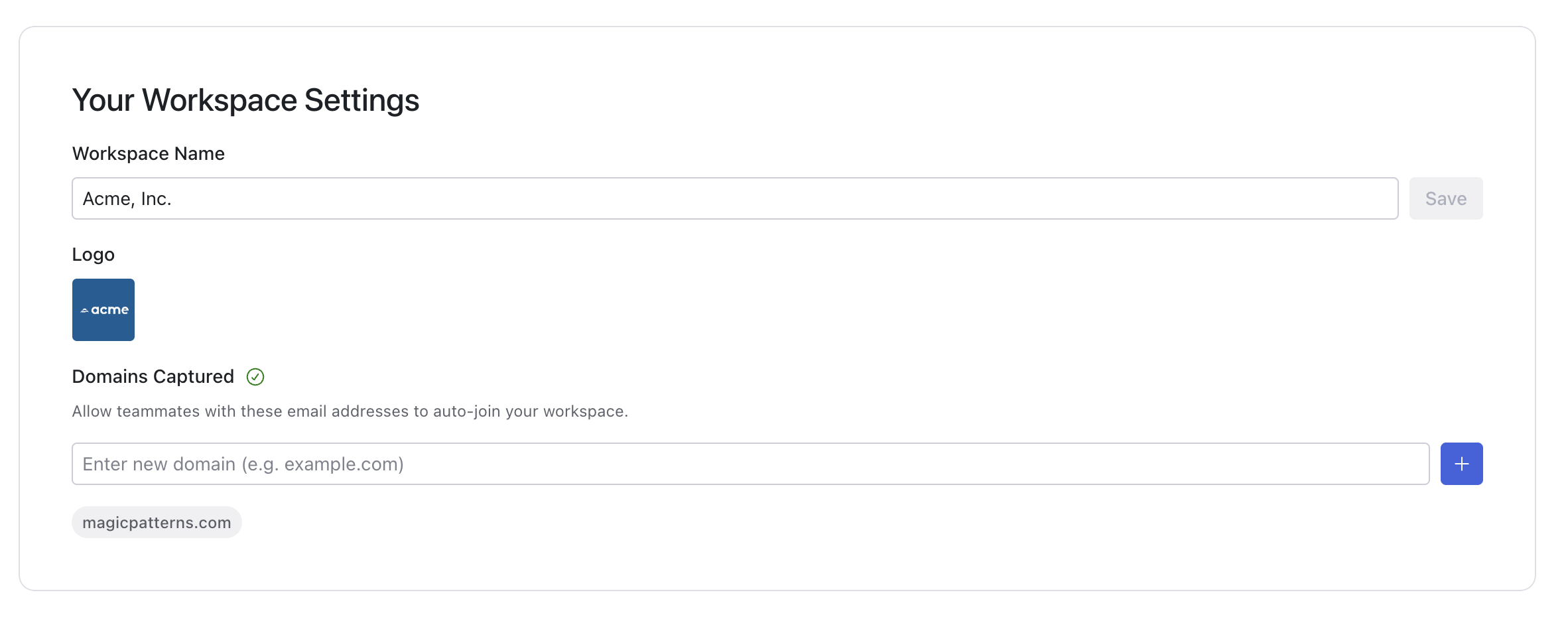
Domain capture automatically adds new users to your workspace when they sign up to Magic Patterns with an email address from your workspace’s domain.Contact support
To set up domain capture, edit the domain capture section of your workspace
settings.
Domain capture can be combined with SSO and SCIM for comprehensive user
management. Contact
support@magicpatterns.com to discuss your
workspace’s needs.
Team Workspaces
Learn more about managing team members and workspaces in Magic Patterns.